
Somewhere on your phone there’s a to-do list you gave up on. Maybe several.
It probably started with good intentions. A fresh app, a burst of setup: projects, tags, priorities, color codes. For a week it felt like control. Then a busy Tuesday arrived, the list got out of date, and quietly, without anyone deciding it, you stopped opening it. The tasks didn’t go away. They just moved back into your head, which is exactly where you were trying to get them out of.
A quick self-test
- How many to-do apps or lists have you started, and how many are you still using?
- Right now, can you name the three things you’re actually in the middle of?
- Is there a task you started weeks ago that you’ve lost track of?
- When something has a deadline, does anything remind you before it arrives?
- How long does it take to add a task, from thought to saved?
If any of these made you wince, the problem probably isn’t you. It’s how the list is built.
01 · The problemToo much system, not enough doing
Most to-do tools fail in one of two ways. Some do too much. They ask you to file every task into a project, tag it, rank it and schedule it, until maintaining the list becomes a job of its own. The setup feels productive, but it’s time spent organizing work instead of doing it. And the more effort each task takes to enter, the fewer tasks make it in.
Others do too little. A note on your phone, a sticky pad, the back of an envelope. Capture is fast, but everything sits in one undifferentiated pile. Groceries next to a work deadline next to “call the plumber,” with nothing to say which ones you’ve already started.
That last part is the one almost every list gets wrong. Tasks aren’t just “to do” or “done.” Real work has a middle: the report that’s half-written, the closet you’ve started clearing, the form you’ve filled in but haven’t sent. When a list has no place for “in progress,” those half-finished tasks either clutter the to-do pile or drop out of sight entirely.
A to-do list only works if you trust it. And you only trust a list you can keep up to date without effort.
02 · Why lists break downFive ways a to-do list quietly fails
Look closely at an abandoned list and the same patterns show up again and again.
The graveyard list. Everything goes in and nothing comes out. Finished tasks sit next to live ones, the list grows endlessly, and scanning it becomes a chore you start avoiding.
The disappearing middle. Started tasks look exactly like untouched ones. You lose track of what’s underway, start new things instead, and end up with a dozen tasks at 60 percent.
The silent deadline. The due date is written down, but nothing speaks up before it arrives. You find out a task was due when it’s already too late.
The organizing trap. Projects, tags, contexts and priority levels. Every task needs five decisions before it’s saved, so you stop saving them.
The hidden cost. Sign up, sign in, sync, subscribe. Your plans for the week end up on someone else’s server, behind an account you have to maintain.
03 · The fixThree lists. That’s the whole system.
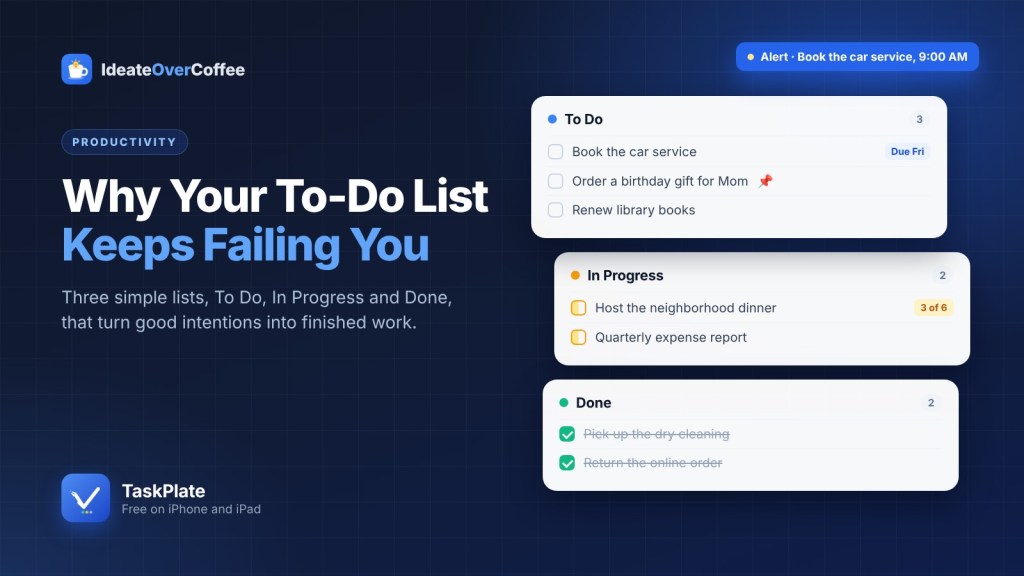
TaskPlate was built around a simple idea: a to-do list should mirror how work actually moves. Every task lives in exactly one of three lists, and moving it forward takes a tap.
How a task moves
To Do
- Book the car service
- Order a birthday gift for Mom
- Renew library books
- Clear out the garage
In Progress
- Quarterly expense report
- Plan the weekend trip
- Repaint the guest room
Done
- Pick up the dry cleaning
- Return the online order
- Schedule the dentist appointment
Add a task to To Do. Move it to In Progress when you start. Move it to Done when it’s finished.
That’s it. There are no boards to configure and no columns to design. A new task lands in To Do. When you start it, it moves to In Progress, and when it’s finished, to Done. Each move puts the task at the top of its new list, so whatever you touched last is right where you expect it.
The middle list is the quiet hero. It answers the question most lists can’t: what am I actually working on? Open the app and your In Progress list tells you, without a scroll through everything else. And if you prefer to keep things even simpler, you can hide In Progress in Settings and work with just two lists.
Done matters too. Finishing something and moving it there gives you a visible record of progress, which is the small reward that keeps a list alive. Meanwhile your To Do list stays short and honest, holding only what’s still ahead.
04 · Reminders that respect youA nudge before it’s late, not after
A due date that nobody mentions is just a date. TaskPlate shows each task’s due date right on the list, so you can see what’s coming without opening anything. For anything that matters, you can add an alert. TaskPlate calls them alerts, and you choose when one arrives: anywhere from the due time itself to a full week ahead, set in minutes, hours or days.
Alerts are delivered through your iPhone’s own local notification system. No push server sits in the middle and nothing about your task leaves your device, so alerts work offline, even in airplane mode. After an alert arrives, a badge stays on the app icon, a small but persistent reminder that something is waiting for you.
The difference is subtle but important. A good reminder doesn’t nag you about everything. It speaks up once, at the moment you chose, about the thing you said mattered.
05 · Big tasks, small stepsWhen “one task” is really six
Some tasks are too big to finish in one go: planning a trip, preparing for a move, hosting a dinner. Written as a single line, they sit in your list for weeks, because there’s no obvious place to start. Split into a dozen separate tasks, they clutter everything else.
TaskPlate handles this with checklists inside a task. Each step gets its own checkbox, and the task shows its progress right on the list, such as “2 of 5,” so you know how far along you are without opening it.
Host the neighborhood dinner · 3 of 6
Checked off
- Pick a date and send invitations
- Confirm the head count
- Plan the menu
Still to go
- Grocery run on Friday
- Borrow extra chairs
- Set up the backyard lights
Alert set for Friday, 6:00 PM, the evening before.
An example of a task with a checklist and an alert.
Adding steps is fast: pressing Return moves straight to the next item. You can drag steps into a new order, and two shortcuts check or uncheck the whole list at once. Turn on Auto-Sink in Settings and completed steps slide to the bottom on their own, so the next thing to do is always at the top.
06 · The details that matterSmall features, chosen carefully
Beyond the three lists, TaskPlate keeps only the features that make a list easier to live with every day.
07 · What’s left out, on purposeThe value of what isn’t there
TaskPlate intentionally leaves out projects, tags, collaborators and syncing. That isn’t an oversight. Every one of those features adds a decision to each task you save and a setting to maintain, and each one is a reason a list gets abandoned.
What you get instead is a list you can understand in a second and keep current in a tap. No onboarding, no account to create, no subscription to manage. You open it, see what’s waiting, what’s underway and what’s finished, and get back to the actual work.
The best to-do system isn’t the most powerful one. It’s the one you’re still using next month.
08 · Start smallFive steps to a list you’ll keep
You don’t need a productivity overhaul. Give the three-list approach one week and see how it feels.
A one-week starter plan
- Empty your head into To Do. Everything that’s nagging at you, one line each. Titles only, no sorting.
- Move what you’ve already started to In Progress. Be honest. This list is often longer than you expect.
- Add due dates and alerts to anything time-bound, with the alert set early enough to actually act on it.
- Turn your biggest task into a checklist, so the first step is obvious and progress is visible.
- Pin the one task that matters most this week, and finish it before you start anything new.
A to-do list doesn’t need to be clever. It needs to be quick to add to, honest about what’s in motion, and willing to speak up before something is due. Three lists, a few well-chosen features and nothing else turn out to be enough.
Get things off your plate with TaskPlate
Free on iPhone and iPad, with no subscription and no account. Requires iOS 17 or later.

